
What’s up, Maximum Football fans, and welcome to Pre-Season 6: Training Camp!
Today’s update and pre-season launch is a foundational moment for Maximum Football as we prepare for a new era with our new development partner, Open Ocean Games.
Here’s what’s inside the latest update available on all platforms today!
Pre-Season 6: Training Camp
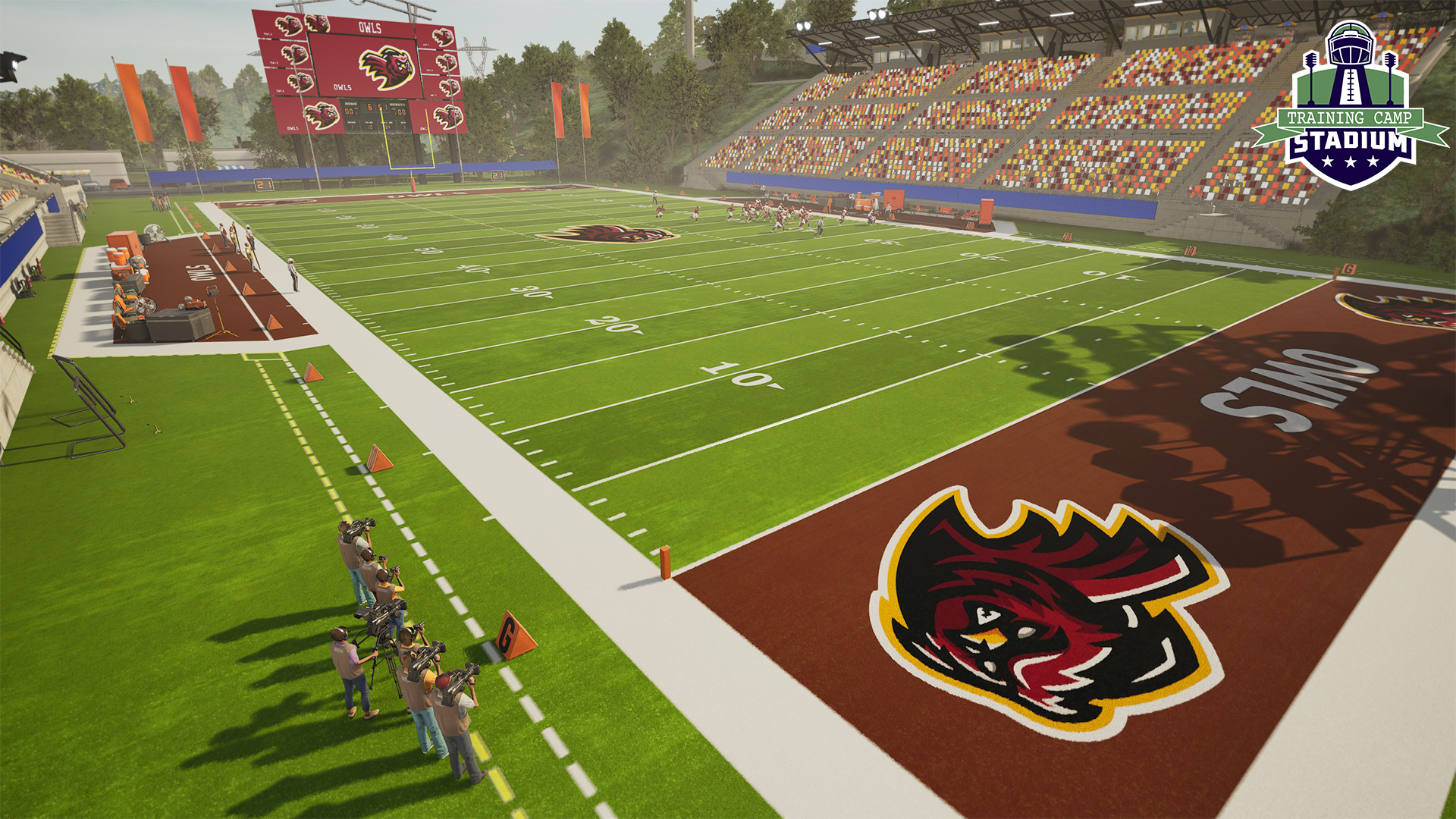
As we gear up for brand new MPL systems (more on this next month), Pre-Season 6: Training Camp gives you an opportunity to earn Max Coins and the brand new Training Camp Stadium all for FREE! Log on, play, and progress to earn your rewards.
New Draft Class Flow
You now have more visibility into what players are navigating to the next level when you have your Dynasty and Franchise connected. Here’s how it works:
- At the end of a season in Dynasty, you will receive a prompt asking if you’d like to export your class of graduating seniors.
- If you select yes, you will be shown a follow-up screen that lets you know every player that will be available in that year’s draft class. Sort this by overall or filter by schools to see who from your team will take the jump.
- After you connect your Franchise to your Dynasty in the Franchise set up, you will see your seniors in the Draft Class menu from Transactions.
This process makes understanding your draft classes much clearer, ensuring you can continue their stories into the pros.
Platform Optimizations
You will notice some major improvements with how the game runs across all platforms. We’ve made adjustments to the game’s lighting system to achieve this. While you won’t notice changes to the way the game looks visually, you will definitely see that it runs smoother on console and uses fewer resources on PC.
We’ve also removed most autoreplays and cut down on the splash screens. This is part of a larger effort to speed up play in Maximum Football and keep you on the field.
Bug Fixes
There are around 50 bugs that we squashed with this patch, many of which were identified by you! We continue to monitor our Player Hub for bug reports to make each patch even better.
Keep reading to check out the full list of changes available in this update.
Full Patch Notes
Stability & Performance
- General Stability: Fixed several issues causing the game to crash during online multiplayer sessions, online ranked matches, and while navigating Hot Routes in Practice and Drills.
- Franchise & Dynasty: Resolved crashes occurring when opening Franchise/Dynasty modes or after completing a Franchise match on Steam Deck.
- Console Performance: Improved low performance, specifically observed when playing in the Gothic Grounds Stadium on PS4.
- Data Management: Fixed performance dips and crashes for users with large amounts of local user-generated content (UGC).
Gameplay & Mechanics
- AI Logic: The CPU will now properly initiate plays in the final 30 seconds of a tied game rather than forcing overtime.
- Special Teams: Fixed an issue where the game would hang after kicking the ball to the far right in the Extra Point drill.
- Practice Drills: Players can no longer accidentally trigger injury timers during practice sessions.
- Play Art: Play art will now be shown as a toggle. Players can activate and deactivate
- Formation Previews: Fixed inconsistent offensive formation previews when playing in Franchise mode.
User Interface (UI) & Menus
- Navigation Fixes: Resolved multiple instances where menus would stop responding when rapidly switching options in Team Customization, Roster filters, or Player Improvement screens.
- Visual Clarity: Fixed overlapping text in the Franchise “Schedule & Results” section and addressed nearly invisible text in transparent dropdown menus.
- Settings Menus: The Tuning Sliders window now correctly appears in gameplay settings, and slider values no longer change unintentionally when navigating quickly with a D-pad.
- Display Scaling: Fixed the team confirmation banner and Season Pass screens to ensure they scale correctly to full screen.
- Callouts & Hints: Fixed issues where button callouts would disappear after pausing or overlap with hint boxes during drills.
- EULA: Corrected the EULA page to prevent text from auto-scrolling.
Franchise & Dynasty Modes
- Playoff Progression: Fixed a critical bug preventing players from advancing past the first round of the playoffs when playing matches manually.
- Simulation: Resolved a black screen issue that occurred when entering the Playoff week after simulating a regular season.
- Playoff Logic: Fixed the “Advance to next week” option missing after a week simulation involving an “Auto Bye.”
- Draft Classes: The “Export Draft Class” option now starts an export flow showing you what players will be available to draft in a connected Franchise.
- Atmosphere: Celebration callouts are now properly included in Franchise and Dynasty modes.
Multiplayer
- Post-Match: Fixed an issue where players were unable to exit the screen after a completed multiplayer match.
- Match Results: Fixed a bug where exiting from the results screen would incorrectly flag the player as having “quit early.”
Visuals & Graphics (VFX)
- Environment Details: Fixed blurry textures on the ground, yard markers, and lines during Franchise matches.
- Animations: Fixed a “stretching” character model glitch during the “Snow Angel” celebration.
- Lighting & Effects: Corrected the green glow effect and mud effects during rain to appear consistently across all platforms.
- Fixed flickering logos on the field during the pre-run phase.
- Standardized the “Motions Highlighter” effect so it looks the same across different consoles.
- Polish: Removed a “signed zero” (+0%/-0%) display on tuning sliders; they now correctly show a neutral position.
Steam Deck Specific Fixes
- Controls: Fixed a bug where the D-pad would stop responding after using the touch screen to scroll player menus.
Cutscenes: The skip button is now fully responsive during the halftime interval on Steam Deck.